


QR & Barcode Scanner
4.610.57K Reviews
App Specs
- Version
- 3.3.6-L
- Updated On
- License
- Free
- Downloads
- 100,000,000+
- Developer
- TeaCapps
- Categories
- Productivity
- Platform
- Android, iOS
Screenshots
 Analysis by AppCompare
When a code appears on a package, a printed notice or a table tent, I want to know what it contains without hunting for a special tool. QR & Barcode Scanner is built for that quick, practical moment: open it, point the camera, and inspect the result. I find it most useful as a focused utility rather than an app I need to keep browsing through. Its appeal is the direct route from a code in front of me to information I can decide whether to use.
A straightforward routine for everyday scans
My usual approach is to open the scanner before aiming at the code, hold the phone steady, and give it a moment to read. When the code is small or printed on a glossy surface, changing the angle slightly can help avoid glare; moving closer is not always better if that makes the camera lose focus. These small habits matter more than rushing, especially with packaging or a code printed in a dim corner.
After a scan, I take a second to check what kind of result appeared before acting on it. A QR code can lead to a web page, show text, or contain connection details, while a product barcode is more likely to be useful as an identifier. Treating the result as information to inspect—not an instruction to follow automatically—is a sensible routine. It is particularly worthwhile before opening an unfamiliar link or sharing a scanned result.
Where it fits alongside the phone camera
Many phones can recognize some QR codes in their built-in camera, so installing a separate scanner is not essential for every person. I would start with the camera if I only scan an occasional code and it already handles the task comfortably. A dedicated app becomes more appealing when I want barcode reading as well as QR scanning, a place to revisit earlier scans, or code creation in the same tool.
That distinction is useful when deciding whether another app belongs on your home screen. The camera is convenient because it is already there; a scanner app can be more purposeful when codes are part of repeated errands or work. For someone who needs a full inventory system, detailed product research, or a sophisticated way to organize records, though, a basic scanner is not a replacement for an app designed around those jobs.
Good moments to keep the result
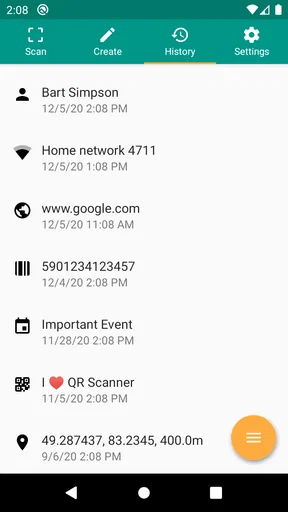
Scan history is more valuable when I use it deliberately. If I scan something I may need later—a product label, a venue’s information page, or a link from a paper handout—I can save the result rather than assuming I will remember where it came from. A short note in my own system about why it mattered can make that saved item easier to recognize later, especially if several scans look alike.
Sharing is another practical option, but I would check the content first. A link may be useful to send to a friend, while a code containing private connection information is better treated carefully. For Wi-Fi, creating a code can spare guests from typing a long password, but I would share it only with people I intend to connect and avoid leaving it displayed where anyone can use it.
Worth Reading Before You Choose

Flipboard Shows What News Apps Must Do Beyond the Feed

Switching to Android Auto Means Rethinking Your Driving Routine

Google Calendar Makes a Crowded Week Easier to Manage

Ludo King Makes the Most of the Minutes Between Plans

Baby Panda World Brings Quick Play to Modern Phones, but Its Game Library Feels Busy

ESPN’s Live Game View Makes Following Close Games Easier
Easy Breezy Setup
First things first, getting started with QR & Barcode Scanner is a breeze. I hopped onto the app store, tapped download, and within seconds, it was ready to roll on my device. No complex sign-ups or unnecessary permissions. It's like the app knows you're eager to get scanning!
Scan Away!
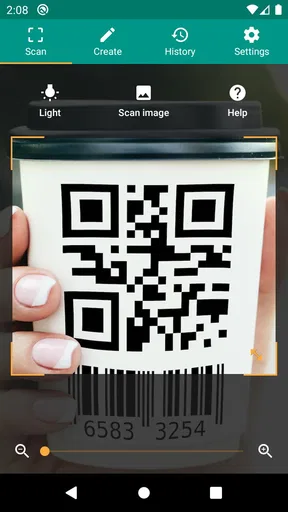
Once I opened the app, I was greeted with a simple, user-friendly interface. No clutter, no ads popping up every two seconds. Just a clean, efficient design that gets straight to the point. I held my phone up to a QR code, and just like that, the app effortlessly captured the image and decoded it. Whether it was a link to a website or a plain text, it displayed the information super fast.
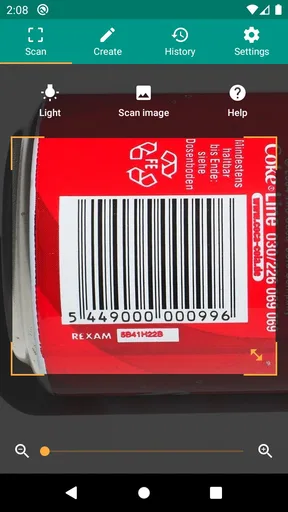
Not just QR codes, though—barcodes, product codes, you name it. The app has an impressive knack for recognizing and decoding various types, making it a versatile tool for just about any scanning needs. Honestly, it's like having a Swiss Army knife for codes right in your pocket.
Features Galore
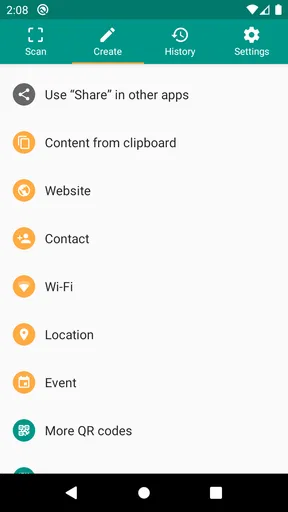
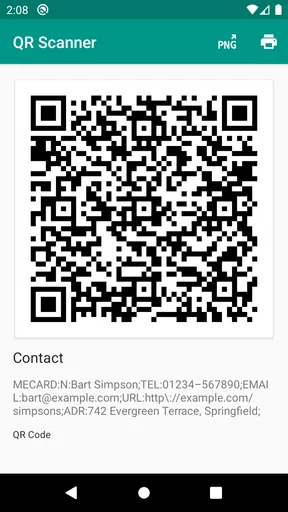
One of the neat features I discovered was the ability to create your own QR codes. I made one for my Wi-Fi network, and now guests can connect in a snap. You can also save your scan history, which is super handy if you need to revisit a link or product later. Plus, there's an option to share your scans directly via email or social media, making it a breeze to share interesting finds with friends.
Worried about security? The app respects your privacy, not storing any of your data unless you choose to save it. It's refreshing to use an app that doesn't pry into your personal info.
Performance and Reliability
Let's talk performance. The QR & Barcode Scanner is fast, like really fast. I’ve tested it in various lighting conditions, and it hasn't let me down. Whether I was outside in the bright sun or in a dimly lit room, it consistently delivered accurate results. The app doesn't crash or lag, which is a huge plus in my book.
Battery drain? Barely noticeable. Some apps can be real power hogs, but this one runs efficiently without making your phone feel like a portable heater.
Settings that are worth a quick look
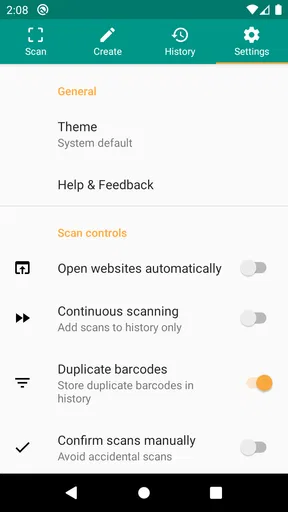
I would check the app’s available settings once rather than assuming every scanner behaves the same way. Camera access is needed for live scanning, and the phone’s own permission controls are the place to review or change that access. If I only need to scan occasionally, I can grant access when prompted and revisit it later; if scanning is part of my regular routine, I prefer to know where that permission is managed.
Storage is another practical consideration. TeaCapps positions this as a light utility, which suits a phone where I do not want a large app taking up room. Still, saved history and created codes are worth managing with intention: keep items that have a future use, and remove or avoid saving material that is only relevant for a single moment. The point is not to build an archive of every code I encounter.
The app is free to install, with optional in-app purchases listed at $6.99 per item. I would try the basic scanning routine before paying for anything: first see whether it handles the codes I actually meet and whether its history and creation tools fit my habits. That makes the decision concrete instead of paying on the assumption that every extra option will be useful.
Faster patterns without rushing
A repeatable workflow can save more time than trying to aim faster. For shopping, I scan the product while I am already holding it, inspect the decoded result, and then decide whether I need to look it up elsewhere. For a QR code on a notice, I scan once and save the result only if I expect to return to it. This keeps the history useful rather than turning it into a pile of one-off links.
For a household that often shares Wi-Fi with visitors, creating the connection code once and having it ready is more useful than rebuilding it each time. I would place it somewhere guests can see without exposing it to passers-by, and replace it if the network password changes. That is a small setup task with a clear payoff, while a code for a password that changes often may create more maintenance than convenience.
At a restaurant, for example, I might scan a menu code, glance at the destination, and open it only if it looks like the expected menu page. If the connection is poor or the printed code is damaged, I would ask for a paper menu rather than repeatedly trying the same scan. A dedicated scanner helps with the decoding step; it cannot repair a torn code or make an unreliable network load a page.
Limits that matter in real use
Barcode reading should not be confused with guaranteed product research. Decoding a printed identifier is one task; finding current prices, reviews, ingredients, or stock details is another and depends on what you do with the result. I would not buy something or make a health decision based only on the fact that a barcode scanned successfully. For those questions, use a trustworthy source that provides the specific information you need.
Likewise, a QR code’s appearance does not prove that its destination is safe. A code on a poster can be replaced or lead somewhere unexpected, so I look at the result before proceeding and avoid entering sensitive details on a page I did not intend to visit. This cautious step is useful even when the scanner itself is behaving perfectly: accurate decoding is not the same as endorsing the content.
The app is a better fit for people who want a simple scanner, occasional code creation, and a retrievable history than for someone seeking automated inventory management or a research database. Its broad usefulness does not remove the need to choose the right follow-up tool. If your main goal is to organize thousands of products or compare detailed specifications, a specialist service will be more appropriate.
Why You'll Love It
So, why should you consider adding this app to your collection? Well, if you’re someone who loves finding quick solutions to everyday tasks, this app is for you. It's user-friendly, reliable, and packed with useful features—all wrapped up in a neat, no-nonsense package.
Whether you’re a tech enthusiast, a casual user, or someone who just wants to simplify how they access information, the QR & Barcode Scanner has something to offer. It's the perfect companion for decoding the world of codes out there, and it might just become your go-to tool for all things QR and barcode-related.
A sensible choice for the right kind of user
TeaCapps’ productivity app has a 4.6 average from around 3.6 million ratings, and it has passed 100 million installs. Those figures suggest it is widely used, but I would still judge it by the job I need done. It is free, rated for Everyone, and its current version is 3.3.6-L; Android support starts at version 6.0. For a basic, no-fuss way to handle QR codes and barcodes, that makes it easy to consider, particularly if I value having scanning, saved results, and code creation together.
I would skip it if my phone’s camera already covers my occasional QR needs and I have no interest in barcode scans, history, or creating codes. I would also choose a specialist app if I need structured product records or a more comprehensive research workflow. But for everyday scanning with a few useful habits—inspect before opening, save selectively, and keep shared codes private—I find this a practical little tool that earns its place without needing to become the center of my digital life.
So, next time you're faced with a QR code at a restaurant menu, or a barcode on a product you’re curious about, remember there's an app that can make understanding these codes a seamless experience. Give it a try, and unlock a new level of convenience in your digital life!
Pros
- Fast scanning with minimal errors.
- Supports multiple barcode types.
- Doesn't require internet access.
- Simple
- user-friendly interface.
- Small app size
- saves storage space.
Cons
- Contains in-app ads.
- Limited editing options for codes.
- No batch scanning feature.
- No data backup functionality.
- Requires camera permissions.
FAQs for QR & Barcode Scanner
What is QR & Barcode Scanner used for?
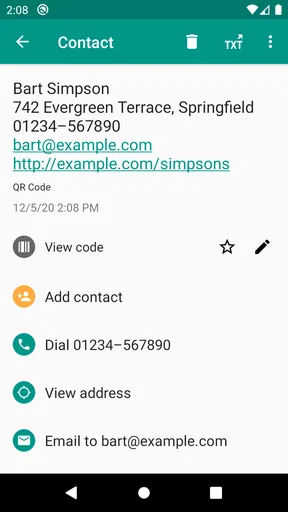
QR & Barcode Scanner is a versatile application that allows users to scan and decode various types of QR codes and barcodes. It's useful for accessing URLs, product information, contact details, and more, directly from your smartphone. It's a practical tool for both personal and professional use.
Is QR & Barcode Scanner free to use?
Yes, QR & Barcode Scanner is typically available for free on both Android and iOS platforms. However, the free version may include ads. There might be a premium version available for those who wish to remove ads or access additional features, enhancing the user experience.
Does QR & Barcode Scanner require an internet connection?
QR & Barcode Scanner can scan and decode codes without an internet connection. However, accessing certain content, such as URLs or online product details, requires internet connectivity. Offline functionality is limited to decoding information embedded in the QR code or barcode itself.
Is QR & Barcode Scanner safe to use?
Yes, QR & Barcode Scanner is generally safe to use, but users should exercise caution. Always ensure that the app is downloaded from a reputable source like Google Play Store or Apple App Store. Be wary of scanning codes from untrusted sources to avoid malicious links or phishing attempts.
Can QR & Barcode Scanner handle all types of codes?
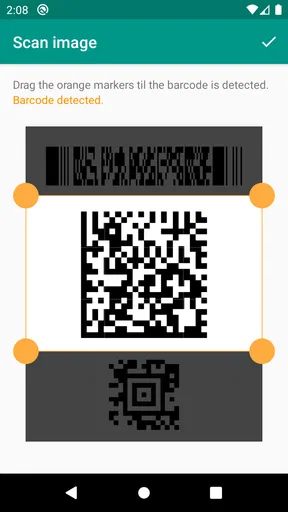
QR & Barcode Scanner is designed to handle a wide range of QR codes and barcodes, including those used for URLs, contact information, Wi-Fi connections, and product details. However, some specialized codes may require specific apps or additional functionalities not covered by this scanner.


